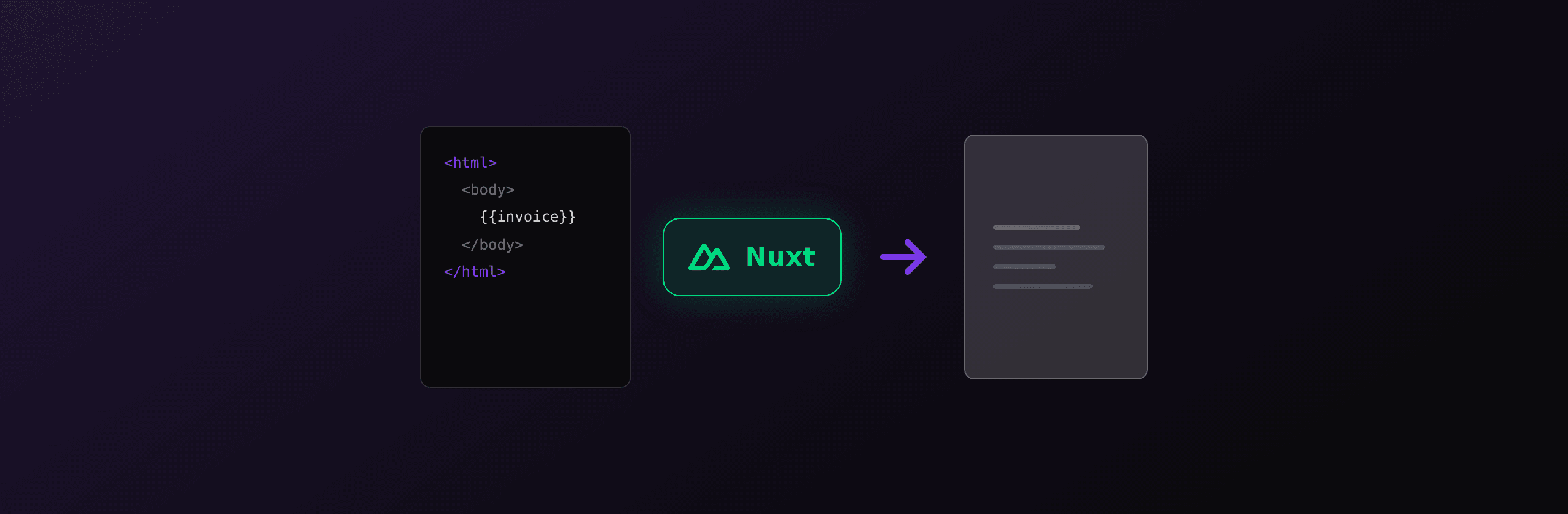
The fastest way to generate a PDF in Nuxt is a Nitro server route that sets a content-type of application/pdf and returns the PDF bytes, with the rendering done by headless Chromium (Playwright or Puppeteer) when you need real HTML and CSS fidelity. If your app deploys to an edge preset that cannot launch Chromium, or you do not want to ship a browser, call a hosted API like PDF4.dev from the same server route and stream the bytes back. For tiny client-only documents, jsPDF avoids the server entirely.
This guide covers every option that works in 2026, the deploy constraint that decides between them, and a real server route for each. Everything applies to both Nuxt 3 and Nuxt 4, because both use the same Nitro server engine.
Which PDF approach should you use in Nuxt?
The right approach depends on three things: HTML and CSS fidelity, where your app runs (Node server vs edge), and how much infrastructure you want to own. Server-side Chromium gives the best fidelity but needs a Node runtime or a serverless Chromium build. Client-side jsPDF needs no server but cannot render HTML. A hosted API removes the browser entirely.
| Approach | Fidelity (HTML/CSS) | Runs on edge? | Infra to own | Best for |
|---|---|---|---|---|
| Playwright (server route) | Full | No (Node only) | Chromium binary | Invoices, reports on a Node server |
| Puppeteer (server route) | Full | No (Node only) | Chromium binary | Same, lighter API surface |
| @sparticuz/chromium | Full | No (serverless Node) | Lambda layer, size limits | AWS Lambda, serverless Node |
| jsPDF (client) | None (manual draw) | Yes (browser) | None | Tickets, simple receipts |
| @vue-pdf / vue3-pdfmake | Partial (own primitives) | Node or browser | None | Vue-defined layouts |
| PDF4.dev (hosted API) | Full (Chromium) | Yes (HTTP fetch) | None | Any preset, no browser to ship |
The single biggest decision is your Nitro deploy preset. If your Nuxt app runs on Cloudflare Workers or Vercel Edge, Playwright and Puppeteer cannot launch a browser there. Either deploy with the node-server preset, use serverless Chromium on Node, or call a hosted HTTP API.
The rest of this article shows working code for each row, then a recommendation by scenario.
How do I return a PDF from a Nuxt server route?
A Nuxt server route is a file in the server/ directory that exports defineEventHandler. It runs on the Nitro server engine and returns raw data instead of a rendered page. To serve a PDF, build the PDF buffer, set the content-type header to application/pdf with setResponseHeader, then return the buffer. This is the foundation of every server-side approach below.
Files in server/api/ are mounted under /api, so server/api/invoice.pdf.ts responds at /api/invoice.pdf:
// server/api/invoice.pdf.ts
export default defineEventHandler(async (event) => {
  const pdf = await buildPdfBuffer(event); // any of the methods below

  setResponseHeader(event, "content-type", "application/pdf");
  // inline shows in the browser, attachment forces a download
  setResponseHeader(event, "content-disposition", 'inline; filename="invoice.pdf"');

  return pdf; // Buffer or Uint8Array
});
A few details that matter:
- Return the buffer directly. Nitro passes a
BufferorUint8Arraythrough as the raw body, so no manual streaming is needed. - Use
content-disposition: attachmentto force a save dialog, orinlineto preview in the browser tab. - The
.pdfin the filename is part of the route path, not a special extension.server/api/invoice.pdf.tsmaps to the URL/api/invoice.pdf.
Put routes that should live at the root (not under /api) in server/routes/ instead. server/routes/report.pdf.ts responds at /report.pdf.
How do I generate a PDF with Playwright in Nuxt?
Use Playwright when you need full HTML and CSS fidelity: web fonts, flexbox, grid, CSS @page rules, and accurate page breaks. Inside the server route handler, launch headless Chromium, set the page content to your HTML, then call page.pdf(). This runs only on a Node deploy target, not on edge presets.
First install the browser once at build or deploy time:
npm install playwright
npx playwright install chromium
Then render inside the server route:
// server/api/report.pdf.ts
import { chromium } from "playwright";

export default defineEventHandler(async (event) => {
  const html = renderReportHtml(); // your template string

  const browser = await chromium.launch();
  try {
    const page = await browser.newPage();
    await page.setContent(html, { waitUntil: "load" });
    const pdf = await page.pdf({
      format: "A4",
      printBackground: true,
      margin: { top: "20mm", bottom: "20mm", left: "15mm", right: "15mm" },
    });

    setResponseHeader(event, "content-type", "application/pdf");
    setResponseHeader(event, "content-disposition", 'attachment; filename="report.pdf"');
    return pdf;
  } finally {
    await browser.close();
  }
});
Honest caveats:
- Launching a browser per request costs roughly 300 to 800ms of cold overhead. In production, keep one browser instance alive and open a fresh page per request instead of calling
launch()on every call. A Nitro plugin is a clean place to hold the singleton. - The Chromium binary is about 150MB. Your Docker image or server needs the OS libraries it depends on (
libnss3,libatk, fonts). - Emoji and non-Latin scripts need fonts installed in the container, or they render as blank boxes.
To keep a warm browser, launch it once and reuse it:
// server/utils/browser.ts
import { chromium, type Browser } from "playwright";

let browserPromise: Promise<Browser> | null = null;

export function getBrowser() {
  if (!browserPromise) browserPromise = chromium.launch();
  return browserPromise;
}
Then call getBrowser() in the handler and open a page per request. A warm page render is typically a few milliseconds of overhead instead of hundreds.
How do I generate a PDF with Puppeteer in Nuxt?
Puppeteer is the lighter alternative to Playwright when you only target Chromium. The server route shape is the same: launch a browser, set content, call page.pdf(). Choose Puppeteer if you already use it elsewhere or want a smaller dependency; choose Playwright if you want one API across Chromium, Firefox, and WebKit.
npm install puppeteer// server/api/ticket.pdf.ts
import puppeteer from "puppeteer";
export default defineEventHandler(async (event) => {
const html = renderTicketHtml();
const browser = await puppeteer.launch({
args: ["--no-sandbox", "--disable-setuid-sandbox"],
});
try {
const page = await browser.newPage();
await page.setContent(html, { waitUntil: "networkidle0" });
const pdf = await page.pdf({ format: "A4", printBackground: true });
setResponseHeader(event, "content-type", "application/pdf");
return pdf;
} finally {
await browser.close();
}
});The --no-sandbox flag is common in containers, but it lowers the browser sandbox, so only use it on a trusted backend that does not render untrusted HTML. Like Playwright, Puppeteer needs a Node runtime and the Chromium system libraries present.
How do I run Chromium PDF rendering on serverless Nitro?
On serverless Node presets (AWS Lambda, Vercel serverless functions), the default Chromium binary is too large or missing OS libraries, so use @sparticuz/chromium, a Chromium build packaged for Lambda-style environments, together with puppeteer-core. This keeps the function under size limits and provides the executable path Puppeteer needs.
npm install puppeteer-core @sparticuz/chromium// server/api/statement.pdf.ts
import chromium from "@sparticuz/chromium";
import puppeteer from "puppeteer-core";
export default defineEventHandler(async (event) => {
const browser = await puppeteer.launch({
args: chromium.args,
executablePath: await chromium.executablePath(),
headless: true,
});
try {
const page = await browser.newPage();
await page.setContent(renderStatementHtml(), { waitUntil: "load" });
const pdf = await page.pdf({ format: "A4", printBackground: true });
setResponseHeader(event, "content-type", "application/pdf");
return pdf;
} finally {
await browser.close();
}
});Caveats specific to serverless:
- Cold starts add 1 to 3 seconds while the Chromium layer unpacks. Provisioned concurrency or a warm instance mitigates it.
- AWS Lambda has a 250MB unzipped code limit.
@sparticuz/chromiumis built to fit, but adding heavy dependencies alongside it can push you over. - This still does not work on true edge presets (Cloudflare Workers, Vercel Edge), which have no process model. For edge, use the hosted API below.
Can I generate a PDF on the client in Nuxt with jsPDF?
Use jsPDF for simple, fixed-layout documents (event tickets, short receipts, single-page certificates) where you want zero server cost and the data already lives in the browser. jsPDF draws text and shapes at coordinates you specify, it does not render HTML or CSS, so complex layouts mean manual positioning.
Because jsPDF touches the window and document objects, it must run only in the browser. In Nuxt, guard it with import.meta.client and load it with a dynamic import inside a client event handler so it never runs during server rendering.
<!-- pages/receipt.vue -->
<script setup lang="ts">
async function downloadPdf() {
  if (!import.meta.client) return;
  const { jsPDF } = await import("jspdf"); // browser-only, dynamic import
  const doc = new jsPDF({ unit: "mm", format: "a4" });

  doc.setFontSize(18);
  doc.text("Receipt", 20, 25);
  doc.setFontSize(11);
  doc.text("Order #1042", 20, 40);
  doc.text("Total: 49.00 EUR", 20, 48);

  doc.save("receipt.pdf");
}
</script>

<template>
  <button @click="downloadPdf">Download receipt</button>
</template>
jsPDF ships no Chromium, so the bundle stays small and there is no server cost. The trade-off is fidelity: there is no HTML rendering, so tables, multi-page flow, and web fonts are all manual work. For anything past a one-page fixed layout, a Chromium renderer or a hosted API saves hours.
How do I call a hosted PDF API from Nuxt?
Call a hosted PDF API when you want full Chromium fidelity without shipping or operating a browser. From a Nuxt server route, use $fetch to send your HTML or a template id to the API, then return the PDF bytes. This works on every Nitro preset, including edge, because it only makes an HTTPS request instead of launching a browser.
This works. Until it does not. Running Playwright yourself means you own the Chromium binary in your image, the memory spikes under concurrency, the browser crashes that need a restart, and the font packages missing on a fresh container. On serverless it means cold-start unpacking, and on edge it does not run at all. For many teams the PDF is a side feature, not a reason to run a browser fleet.
PDF4.dev renders your HTML with the same headless Chromium, hosted, and returns the PDF over HTTP. The server route shrinks to a single request:
// server/api/invoice.pdf.ts
export default defineEventHandler(async (event) => {
  const pdf = await $fetch<ArrayBuffer>("https://api.pdf4.dev/api/v1/render", {
    method: "POST",
    responseType: "arrayBuffer",
    headers: {
      Authorization: `Bearer ${process.env.PDF4_API_KEY}`,
      "Content-Type": "application/json",
    },
    body: {
      template_id: "invoice",
      data: { customer: "Acme Corp", total: "1,500.00" },
    },
  });

  setResponseHeader(event, "content-type", "application/pdf");
  return Buffer.from(pdf);
});
No Chromium in your Docker image, no memory tuning, no on-call for browser crashes. The same server route runs on the node-server, Vercel, and Cloudflare presets without change, because the render happens on PDF4.dev, not in your worker. You can also try the flow with the free HTML to PDF toolTry it free before wiring the API into a route.
Store the API key in a runtime environment variable, not in your Vue components. Server routes read process.env (or Nuxt useRuntimeConfig), so the key never reaches the client bundle. Create a free API key and render your first PDF in a few minutes.
Which approach should you choose in Nuxt?
The decision comes down to your deploy preset and how much browser infrastructure you want to run. Here is the short version by scenario.
| Scenario | Recommended approach |
|---|---|
| Node server, full HTML fidelity | Playwright with a warm browser singleton |
| Already on Puppeteer elsewhere | Puppeteer server route |
| AWS Lambda / serverless Node | puppeteer-core + @sparticuz/chromium |
| Cloudflare Workers / Vercel Edge | Hosted API (PDF4.dev) via $fetch |
| One-page ticket or receipt, no server | jsPDF on the client |
| Do not want to operate a browser | Hosted API (PDF4.dev) |
The engine is the same Chromium in every server-side row. The real question is who operates it. If you want control and you run a Node server, self-hosted Playwright is a fine choice. If your Nuxt app deploys to the edge, or PDF is a small feature you do not want to babysit, a hosted API removes the browser from your stack entirely.
Whichever you pick, keep the PDF logic in a Nitro server route, not in a Vue component. That keeps API keys off the client, lets you swap the rendering method without touching your pages, and gives you one URL to link for downloads.
Related reading
- PDF generation in Vue: the client-and-server patterns for plain Vue apps.
- PDF generation in Next.js: the same decision framed for the React side.
- Generate PDFs from HTML in Node.js: the underlying Node approaches in depth.
- How to convert HTML to PDF: a language-agnostic overview of the whole space.
Free tools mentioned:
Frequently asked questions
- How do I return a PDF from a Nuxt server route?
- Create a Nitro server route under server/api or server/routes that exports defineEventHandler. Inside it, build a PDF Buffer, call setResponseHeader(event, 'content-type', 'application/pdf'), then return the Buffer. Nitro sends the raw bytes to the browser instead of rendering HTML.
- Can I generate PDFs server-side in Nuxt?
- Yes. Nuxt server routes run on the Nitro engine, which uses Node by default, so you can call Playwright or Puppeteer inside a handler to render HTML to PDF with headless Chromium. The only constraint is the deploy preset: edge presets like Cloudflare Workers cannot launch Chromium.
- Why does Playwright fail when I deploy my Nuxt app to the edge?
- Edge Nitro presets (Cloudflare Workers, Vercel Edge) run in a Web-standard runtime with no Node process model and no filesystem, so Playwright and Puppeteer cannot spawn a Chromium process there. Use the node-server preset, @sparticuz/chromium on serverless Node, or a hosted HTTP API like PDF4.dev.
- What is the difference between Nuxt 3 and Nuxt 4 for PDF generation?
- Nothing changes for PDF generation. Both Nuxt 3 and Nuxt 4 use the same Nitro server engine and the same defineEventHandler server-route API, so every approach in this guide works unchanged. Nuxt 4 mainly moves the default source directory to app/ and updates data-fetching defaults.
- How do I trigger a PDF download from a Nuxt page?
- Point a link or navigateTo at the server route URL. A plain anchor with a download attribute, an a href to /api/invoice.pdf, or window.open all work. The server route streams back the application/pdf response, and the browser downloads or previews it.
- Is jsPDF enough for invoices in Nuxt?
- jsPDF works for simple receipts, tickets, and single-page certificates with fixed layouts, but it does not render HTML or CSS, so multi-page invoices with tables, web fonts, and dynamic content are easier with a Chromium-based renderer or a hosted API that accepts your HTML template.
- Where do Nuxt server routes for PDFs live?
- Put them in the server/ directory. Files in server/api are mounted under /api, and files in server/routes are mounted at the root path. A file named server/api/invoice.pdf.ts responds at /api/invoice.pdf.
- How do I keep Playwright fast in Nuxt production?
- Do not call chromium.launch() on every request. Launch one browser instance when the server starts, store it in a module-level singleton or a Nitro plugin, and open a fresh page per request. This turns roughly 300 to 800ms of cold launch overhead into a few milliseconds per render.
- Can I generate a PDF without shipping Chromium in Nuxt?
- Yes. Call a hosted PDF API such as PDF4.dev with $fetch from inside a server route, send your HTML or a template id, and stream the returned PDF back. This works on any Nitro preset, including edge, because it only makes an HTTPS request instead of launching a browser.
- Does useFetch work for downloading a PDF in Nuxt?
- useFetch is designed for JSON data, not binary downloads. For a PDF, link directly to the server route URL or use $fetch with responseType set to blob in a client handler, then create an object URL for download. Direct navigation to the route is the simplest path.
Start generating PDFs
Build PDF templates with a visual editor. Render them via API from any language in ~300ms.