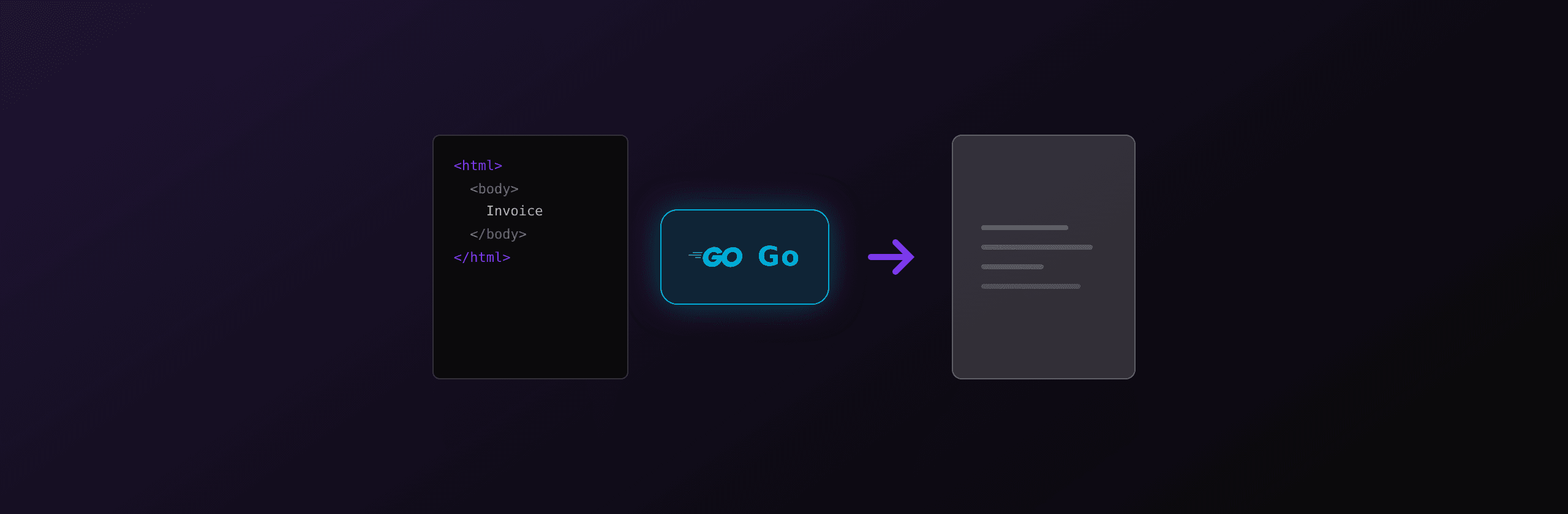
Generating PDFs from HTML in Go requires a headless browser because Go has no pure-Go HTML rendering engine with full CSS support. This guide covers three approaches: chromedp (the standard choice), Rod (higher-level alternative), and a REST API. Each section includes working code you can compile and run.
Approach comparison
| Approach | CSS support | Dependencies | Concurrency | Docker size impact | Best for |
|---|---|---|---|---|---|
| chromedp | Full (Chromium) | Chrome binary | Manual pool | +300 MB | Most Go projects |
| Rod | Full (Chromium) | Auto-downloads Chrome | Built-in pool | +300 MB | Rapid prototyping |
| wkhtmltopdf (exec) | Poor (deprecated) | C binary | Process-per-call | +100 MB | Legacy only |
| PDF4.dev | Full (hosted Chromium) | None (net/http) | Unlimited | 0 | Production, serverless |
Option 1: chromedp
chromedp is a Go package that drives Chrome or Chromium using the Chrome DevTools Protocol, without requiring a Node.js runtime. It is the most widely used Go library for browser automation and PDF generation.
Installation
go get github.com/chromedp/chromedpYou also need Chrome or Chromium installed on the system. chromedp auto-detects the binary path.
Basic PDF generation
package main

import (
	"context"
	"log"
	"os"

	"github.com/chromedp/cdproto/page"
	"github.com/chromedp/chromedp"
)

func main() {
	html := `<!DOCTYPE html>
<html>
<head>
  <style>
    body { font-family: Arial, sans-serif; margin: 20mm; }
    h1 { color: #111; font-size: 24px; }
    .total { font-size: 18px; font-weight: bold; }
  </style>
</head>
<body>
  <h1>Invoice #001</h1>
  <p>Client: Acme Corp</p>
  <p class="total">Total: $1,500.00</p>
</body>
</html>`

	ctx, cancel := chromedp.NewContext(context.Background())
	defer cancel()

	var pdfBuf []byte
	if err := chromedp.Run(ctx,
		chromedp.Navigate("about:blank"),
		chromedp.ActionFunc(func(ctx context.Context) error {
			frameTree, err := page.GetFrameTree().Do(ctx)
			if err != nil {
				return err
			}
			page.SetDocumentContent(frameTree.Frame.ID, html).Do(ctx)
			return nil
		}),
		chromedp.ActionFunc(func(ctx context.Context) error {
			buf, _, err := page.PrintToPDF().
				WithPaperWidth(8.27).    // A4 width in inches
				WithPaperHeight(11.69).  // A4 height in inches
				WithMarginTop(0.79).     // 20mm
				WithMarginBottom(0.79).
				WithMarginLeft(0.59).    // 15mm
				WithMarginRight(0.59).
				WithPrintBackground(true).
				Do(ctx)
			if err != nil {
				return err
			}
			pdfBuf = buf
			return nil
		}),
	); err != nil {
		log.Fatal(err)
	}

	os.WriteFile("invoice.pdf", pdfBuf, 0644)
}
Dynamic templates with html/template
Go's standard html/template package handles dynamic data. Render the template to a string, then pass it to chromedp.
package main

import (
	"bytes"
	"context"
	"fmt"
	"html/template"
	"log"
	"os"

	"github.com/chromedp/cdproto/page"
	"github.com/chromedp/chromedp"
)

type Invoice struct {
	Number string
	Client string
	Items  []LineItem
	Total  float64
}

type LineItem struct {
	Description string
	Qty         int
	UnitPrice   float64
}

const invoiceTmpl = `<!DOCTYPE html>
<html>
<head>
  <style>
    body { font-family: Arial, sans-serif; margin: 20mm; color: #333; }
    table { width: 100%; border-collapse: collapse; }
    th, td { padding: 8px 12px; border-bottom: 1px solid #eee; text-align: left; }
    .total-row { font-weight: bold; font-size: 16px; }
  </style>
</head>
<body>
  <h1>Invoice {{.Number}}</h1>
  <p>Client: {{.Client}}</p>
  <table>
    <thead>
      <tr><th>Description</th><th>Qty</th><th>Unit Price</th><th>Subtotal</th></tr>
    </thead>
    <tbody>
      {{range .Items}}
      <tr>
        <td>{{.Description}}</td>
        <td>{{.Qty}}</td>
        <td>${{printf "%.2f" .UnitPrice}}</td>
        <td>${{printf "%.2f" (mul .Qty .UnitPrice)}}</td>
      </tr>
      {{end}}
    </tbody>
    <tfoot>
      <tr class="total-row"><td colspan="3">Total</td><td>${{printf "%.2f" .Total}}</td></tr>
    </tfoot>
  </table>
</body>
</html>`

func mul(a int, b float64) float64 { return float64(a) * b }

func renderHTML(inv Invoice) (string, error) {
	tmpl, err := template.New("invoice").Funcs(template.FuncMap{
		"mul": mul,
	}).Parse(invoiceTmpl)
	if err != nil {
		return "", err
	}
	var buf bytes.Buffer
	if err := tmpl.Execute(&buf, inv); err != nil {
		return "", err
	}
	return buf.String(), nil
}

func htmlToPDF(ctx context.Context, html string) ([]byte, error) {
	var pdfBuf []byte
	if err := chromedp.Run(ctx,
		chromedp.Navigate("about:blank"),
		chromedp.ActionFunc(func(ctx context.Context) error {
			frameTree, err := page.GetFrameTree().Do(ctx)
			if err != nil {
				return err
			}
			return page.SetDocumentContent(frameTree.Frame.ID, html).Do(ctx)
		}),
		chromedp.ActionFunc(func(ctx context.Context) error {
			buf, _, err := page.PrintToPDF().
				WithPaperWidth(8.27).
				WithPaperHeight(11.69).
				WithMarginTop(0.79).
				WithMarginBottom(0.79).
				WithPrintBackground(true).
				Do(ctx)
			pdfBuf = buf
			return err
		}),
	); err != nil {
		return nil, err
	}
	return pdfBuf, nil
}

func main() {
	inv := Invoice{
		Number: "INV-0042",
		Client: "Acme Corp",
		Items: []LineItem{
			{Description: "Consulting", Qty: 10, UnitPrice: 150.00},
			{Description: "Setup fee", Qty: 1, UnitPrice: 200.00},
		},
		Total: 1700.00,
	}

	htmlStr, err := renderHTML(inv)
	if err != nil {
		log.Fatal(err)
	}

	ctx, cancel := chromedp.NewContext(context.Background())
	defer cancel()

	pdf, err := htmlToPDF(ctx, htmlStr)
	if err != nil {
		log.Fatal(err)
	}

	os.WriteFile(fmt.Sprintf("invoice-%s.pdf", inv.Number), pdf, 0644)
}
HTTP handler
func pdfHandler(w http.ResponseWriter, r *http.Request) {
	invoiceID := r.PathValue("id") // Go 1.22+ ServeMux

	inv := fetchInvoice(invoiceID) // your DB lookup
	htmlStr, err := renderHTML(inv)
	if err != nil {
		http.Error(w, "template error", http.StatusInternalServerError)
		return
	}

	ctx, cancel := chromedp.NewContext(context.Background())
	defer cancel()

	pdf, err := htmlToPDF(ctx, htmlStr)
	if err != nil {
		http.Error(w, "pdf error", http.StatusInternalServerError)
		return
	}

	w.Header().Set("Content-Type", "application/pdf")
	w.Header().Set("Content-Disposition",
		fmt.Sprintf(`inline; filename="invoice-%s.pdf"`, invoiceID))
	w.Write(pdf)
}
Option 2: Rod
Rod is a higher-level Go library that also uses the DevTools Protocol. It auto-downloads a compatible Chromium binary on first run and provides a simpler API.
Installation
go get github.com/go-rod/rodBasic PDF generation with Rod
package main

import (
	"os"

	"github.com/go-rod/rod"
	"github.com/go-rod/rod/lib/proto"
)

func main() {
	browser := rod.New().MustConnect()
	defer browser.MustClose()

	page := browser.MustPage("")

	html := `<html><body><h1>Invoice #001</h1><p>Total: $1,500.00</p></body></html>`
	page.MustSetDocumentContent(html)
	page.MustWaitStable()

	pdf, _ := page.PDF(&proto.PagePrintToPDF{
		PaperWidth:      float64Ptr(8.27),
		PaperHeight:     float64Ptr(11.69),
		MarginTop:       float64Ptr(0.79),
		MarginBottom:    float64Ptr(0.79),
		MarginLeft:      float64Ptr(0.59),
		MarginRight:     float64Ptr(0.59),
		PrintBackground: true,
	})

	data, _ := pdf.ReadAll()
	os.WriteFile("invoice.pdf", data, 0644)
}

func float64Ptr(v float64) *float64 { return &v }
Rod downloads Chromium automatically on first run, which is convenient for development but can cause surprises in CI/CD pipelines. Pin the browser version in production using rod.New().ControlURL(...) pointed at a pre-installed binary.
When the DIY approach breaks down
Both chromedp and Rod work well for low-volume PDF generation. At production scale, several problems compound.
Docker image size
Chromium adds 300-400 MB to your container image. Even the slim chromedp/headless-shell image adds ~200 MB. This inflates container pull times, increases cold starts on cloud platforms, and raises registry storage costs. A Go binary that only needs net/http ships as a 10-15 MB static binary.
Concurrency and memory
Each chromedp context spawns a browser tab. Under concurrent load, memory usage grows linearly: each tab consumes 50-100 MB of RAM. At 50 concurrent PDF requests, the Chrome process alone uses 2.5-5 GB. You need explicit pool management, semaphores, or a worker queue to bound resource usage. Go's goroutines make this possible, but the Chrome process is the bottleneck, not Go.
No built-in template engine
Go's html/template handles basic interpolation, but it lacks built-in helpers for formatting dates, currencies, or conditionals beyond {{if}}. For invoice-grade templates with formatted numbers, repeated headers/footers, and conditional sections, you end up writing custom template functions or pulling in third-party libraries.
Serverless incompatibility
AWS Lambda has a 250 MB deployment limit. A Go binary plus Chromium exceeds that. Google Cloud Run has no binary size limit but cold-starting a Chromium process takes 2-5 seconds. On any serverless platform, running a browser process means paying for idle compute while the browser initializes.
The cost math
| Cost factor | Self-hosted (chromedp/Rod) | REST API (PDF4.dev) |
|---|---|---|
| Docker image | +300 MB Chrome | 0 (net/http only) |
| RAM per request | 50-100 MB (Chrome tab) | 0 (API handles it) |
| Cold start | 2-5s (Chrome launch) | None |
| Ops time | Browser updates, crash recovery | None |
| Serverless | Difficult (binary too large) | Works everywhere |
| Concurrency | Manual pool, bounded by RAM | Unlimited |
Option 3: PDF4.dev API
PDF4.dev is a REST API for HTML-to-PDF conversion. Send an HTTP POST with your HTML and data, get a PDF back. The rendering runs on managed Chromium, so your Go binary stays small and dependency-free.
Generate a PDF with net/http
package main

import (
	"bytes"
	"encoding/json"
	"fmt"
	"io"
	"net/http"
	"os"
)

type RenderRequest struct {
	HTML string         `json:"html"`
	Data map[string]any `json:"data,omitempty"`
}

func generatePDF(apiKey, html string, data map[string]any) ([]byte, error) {
	body, err := json.Marshal(RenderRequest{HTML: html, Data: data})
	if err != nil {
		return nil, err
	}

	req, err := http.NewRequest("POST", "https://pdf4.dev/api/v1/render", bytes.NewReader(body))
	if err != nil {
		return nil, err
	}
	req.Header.Set("Authorization", "Bearer "+apiKey)
	req.Header.Set("Content-Type", "application/json")

	resp, err := http.DefaultClient.Do(req)
	if err != nil {
		return nil, err
	}
	defer resp.Body.Close()

	if resp.StatusCode != http.StatusOK {
		errBody, _ := io.ReadAll(resp.Body)
		return nil, fmt.Errorf("PDF API error (%d): %s", resp.StatusCode, errBody)
	}

	return io.ReadAll(resp.Body)
}

func main() {
	apiKey := os.Getenv("PDF4_API_KEY")

	html := `<html>
<head><style>
  body { font-family: Inter, sans-serif; margin: 20mm; }
  h1 { color: #111; }
</style></head>
<body>
  <h1>Invoice {{invoice_number}}</h1>
  <p>Client: {{client_name}}</p>
  <p>Total: {{total}}</p>
</body>
</html>`

	pdf, err := generatePDF(apiKey, html, map[string]any{
		"invoice_number": "INV-0042",
		"client_name":    "Acme Corp",
		"total":          "$1,700.00",
	})
	if err != nil {
		fmt.Fprintf(os.Stderr, "error: %v\n", err)
		os.Exit(1)
	}

	os.WriteFile("invoice.pdf", pdf, 0644)
}
PDF4.dev uses Handlebars syntax ({{variable}}) for templates, with built-in helpers for formatting dates, numbers, and currencies.
Use a saved template
Save your HTML template once in the PDF4.dev dashboard, then reference it by slug. This separates template design from Go application code.
type TemplateRenderRequest struct {
	TemplateID string         `json:"template_id"`
	Data       map[string]any `json:"data"`
}

func renderTemplate(apiKey, templateID string, data map[string]any) ([]byte, error) {
	body, err := json.Marshal(TemplateRenderRequest{
		TemplateID: templateID,
		Data:       data,
	})
	if err != nil {
		return nil, err
	}

	req, err := http.NewRequest("POST", "https://pdf4.dev/api/v1/render", bytes.NewReader(body))
	if err != nil {
		return nil, err
	}
	req.Header.Set("Authorization", "Bearer "+apiKey)
	req.Header.Set("Content-Type", "application/json")

	resp, err := http.DefaultClient.Do(req)
	if err != nil {
		return nil, err
	}
	defer resp.Body.Close()

	if resp.StatusCode != http.StatusOK {
		errBody, _ := io.ReadAll(resp.Body)
		return nil, fmt.Errorf("PDF API error (%d): %s", resp.StatusCode, errBody)
	}

	return io.ReadAll(resp.Body)
}
HTTP handler with PDF4.dev
func pdfHandler(w http.ResponseWriter, r *http.Request) {
	invoiceID := r.PathValue("id")
	apiKey := os.Getenv("PDF4_API_KEY")

	pdf, err := renderTemplate(apiKey, "invoice", map[string]any{
		"invoice_number": invoiceID,
		"client_name":    "Acme Corp",
		"total":          "$1,700.00",
	})
	if err != nil {
		http.Error(w, "pdf generation failed", http.StatusInternalServerError)
		return
	}

	w.Header().Set("Content-Type", "application/pdf")
	w.Header().Set("Content-Disposition",
		fmt.Sprintf(`inline; filename="invoice-%s.pdf"`, invoiceID))
	w.Write(pdf)
}
No Chrome binary, no DevTools Protocol, no browser lifecycle. The Go binary stays at 10-15 MB.
Choosing the right approach
Use chromedp if:
- You need full control over the rendering pipeline
- You are already running Chrome in your infrastructure (e.g., for E2E tests)
- Your deployment target has no size or binary constraints
- You want zero external HTTP dependencies
Use Rod if:
- You want auto-managed browser downloads during development
- You prefer a higher-level API over raw DevTools Protocol calls
- You are prototyping and want the fastest path to a working PDF
Use PDF4.dev if:
- You deploy to serverless or size-constrained environments (Lambda, Cloud Run)
- You want sub-300ms renders without managing a browser pool
- You need designers to update templates without redeploying Go code
- Concurrency matters and you do not want to manage Chrome memory
PDF format options
All approaches support standard page sizes and custom dimensions.
| Format | chromedp / Rod | PDF4.dev (format.preset) |
|---|---|---|
| A4 portrait | PaperWidth: 8.27, PaperHeight: 11.69 | "a4" |
| A4 landscape | PaperWidth: 11.69, PaperHeight: 8.27 | "a4-landscape" |
| Letter | PaperWidth: 8.5, PaperHeight: 11 | "letter" |
| Custom | Set width/height in inches | preset: "custom", width: "150mm" |
Production checklist
| Item | chromedp / Rod | PDF API |
|---|---|---|
| Chrome binary in Docker | Required (~300 MB) | Not needed |
| Concurrency control | Semaphore or worker pool | Handled by API |
| Timeouts | context.WithTimeout | HTTP client timeout (30s) |
| Error handling | Recover from Chrome crashes | Check HTTP status code |
| Font availability | System fonts or @font-face | Google Fonts or @font-face |
| Memory budget | 50-100 MB per concurrent PDF | None |
Summary
Go has no native HTML-to-PDF library, so every approach involves either running a browser (chromedp, Rod) or calling an external service. chromedp is the standard choice for projects that can carry a Chromium dependency. For serverless, size-constrained, or high-concurrency workloads, PDF4.dev removes the browser from the equation: one HTTP call, no binary dependencies, and the Go binary stays small.
Ready to generate PDFs from Go without managing Chrome? Create a free PDF4.dev account, grab an API key, and replace your chromedp pipeline with a single HTTP call.
Try it first with the HTML to PDF converter, or explore other tools like compress PDF and merge PDF.
Frequently asked questions
- What is the best Go library for generating PDFs from HTML?
- chromedp is the most popular Go library for HTML-to-PDF conversion. It controls headless Chrome via the DevTools Protocol without requiring a separate Node.js process. For production workloads with no Chrome dependency, a REST API like PDF4.dev returns PDFs over HTTP.
- How do I generate a PDF from HTML in Go without Chrome?
- Go has no pure-Go HTML-to-PDF renderer with full CSS support. The closest option is calling wkhtmltopdf via os/exec, but wkhtmltopdf is deprecated and has poor CSS3 support. A REST API like PDF4.dev removes the browser dependency entirely: send HTML over HTTP, get a PDF back.
- Does chromedp support CSS Grid and Flexbox for PDF generation?
- Yes. chromedp uses a real Chromium browser, so it supports all modern CSS including Grid, Flexbox, custom properties, and Google Fonts.
- How large is a Docker image with chromedp and Chromium?
- A Go binary with chromedp plus a Chromium installation adds 300-400 MB to the Docker image. The chromedp/headless-shell image is around 200 MB but still requires careful Dockerfile management.
- Can I generate PDFs in Go on AWS Lambda or serverless?
- Running Chromium on AWS Lambda requires a custom runtime with a bundled Chromium binary, which pushes the deployment package close to the 250 MB limit. A PDF REST API works on any serverless platform because it only needs an HTTP client.
- How do I use Go templates (html/template) with PDF generation?
- Render your HTML template to a string using html/template.Execute() with a bytes.Buffer, then pass the resulting HTML string to chromedp or a PDF API. This keeps template logic in Go and rendering separate.
- What is the difference between chromedp and Rod for PDF generation in Go?
- Both use the Chrome DevTools Protocol. chromedp is lower-level with more manual setup but no external dependencies beyond Chrome itself. Rod adds automatic browser management, a higher-level API, and built-in retry logic, at the cost of an extra dependency.
- How fast is Go PDF generation in production?
- chromedp with a warm browser takes 200-500ms per PDF for a simple document. A managed PDF API like PDF4.dev returns results in under 300ms with no cold-start penalty.
Start generating PDFs
Build PDF templates with a visual editor. Render them via API from any language in ~300ms.